For existing customers of our Yara Analytical Services, we have set up a Megalab account with all historical data from previous orders and analyses conducted.
Due to the collection of all historical data prior to digitisation, there may be duplicate customers that need to be merged by you.
Learn how to merge duplicate customers by watching this video or following the steps below:
- Log in to your Megalab account.
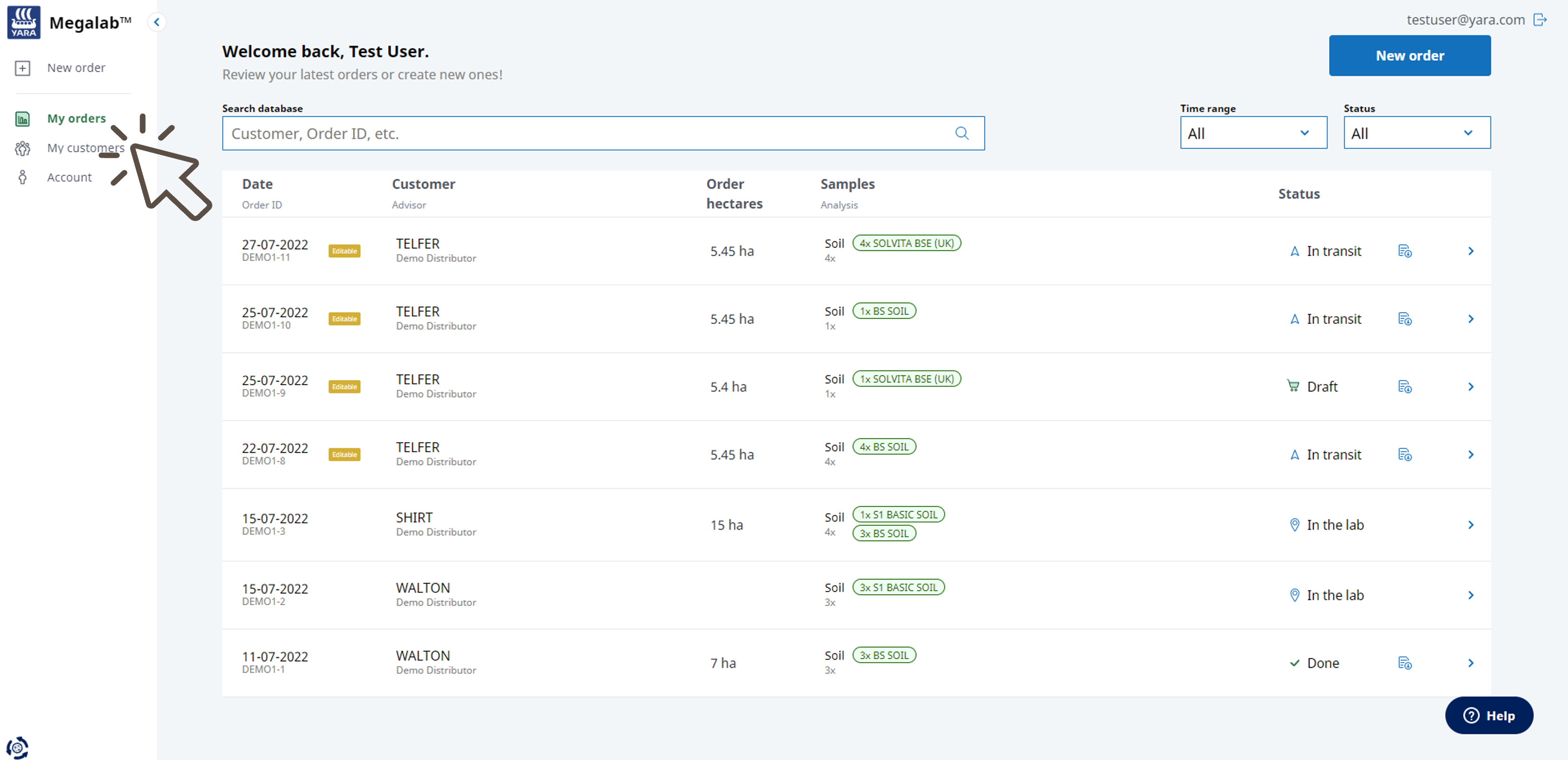
- Megalab opens. Click on MY CUSTOMERS in the left navigation bar.
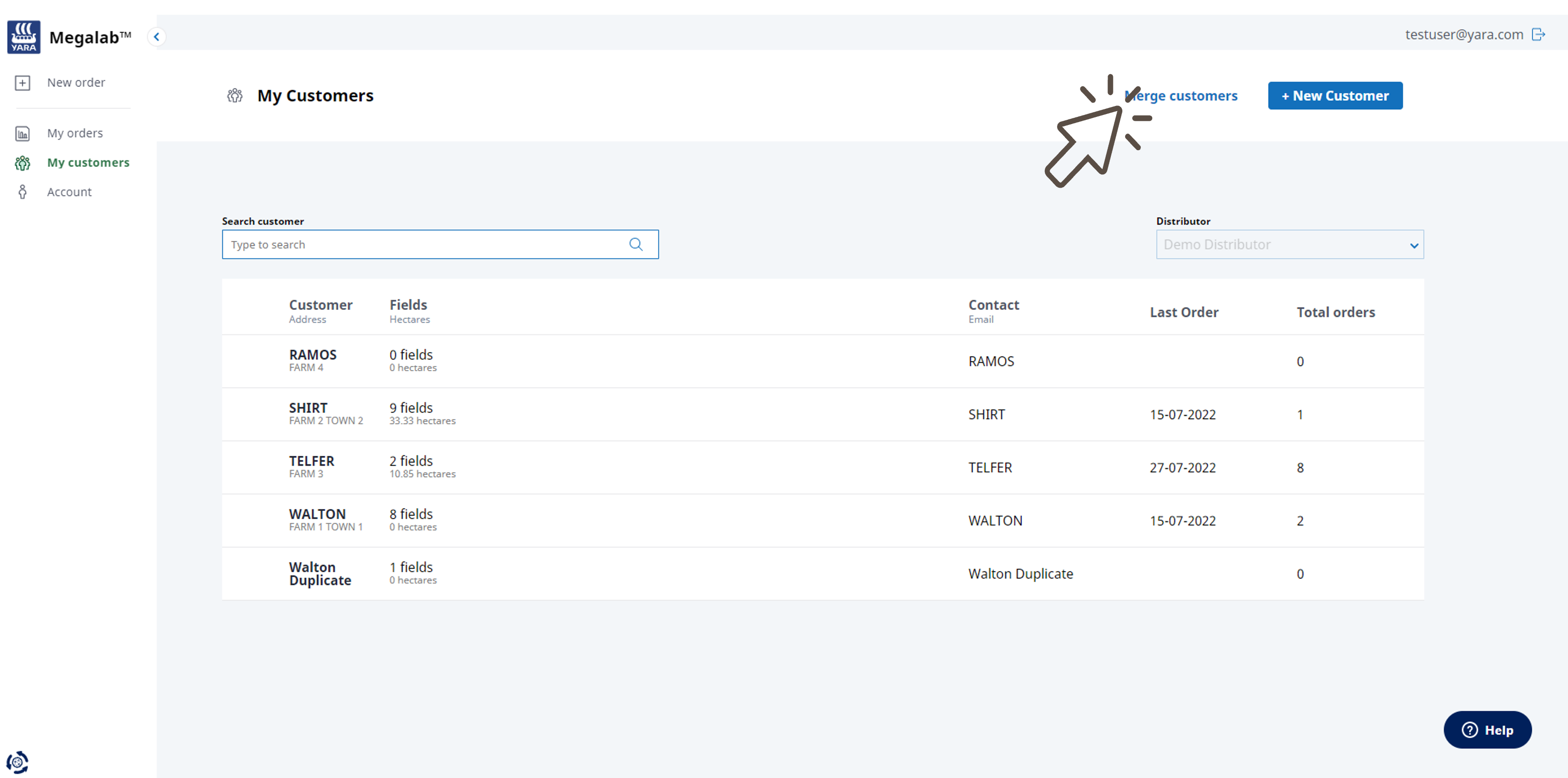
- The customers page opens. Click on the MERGE CUSTOMERS button.
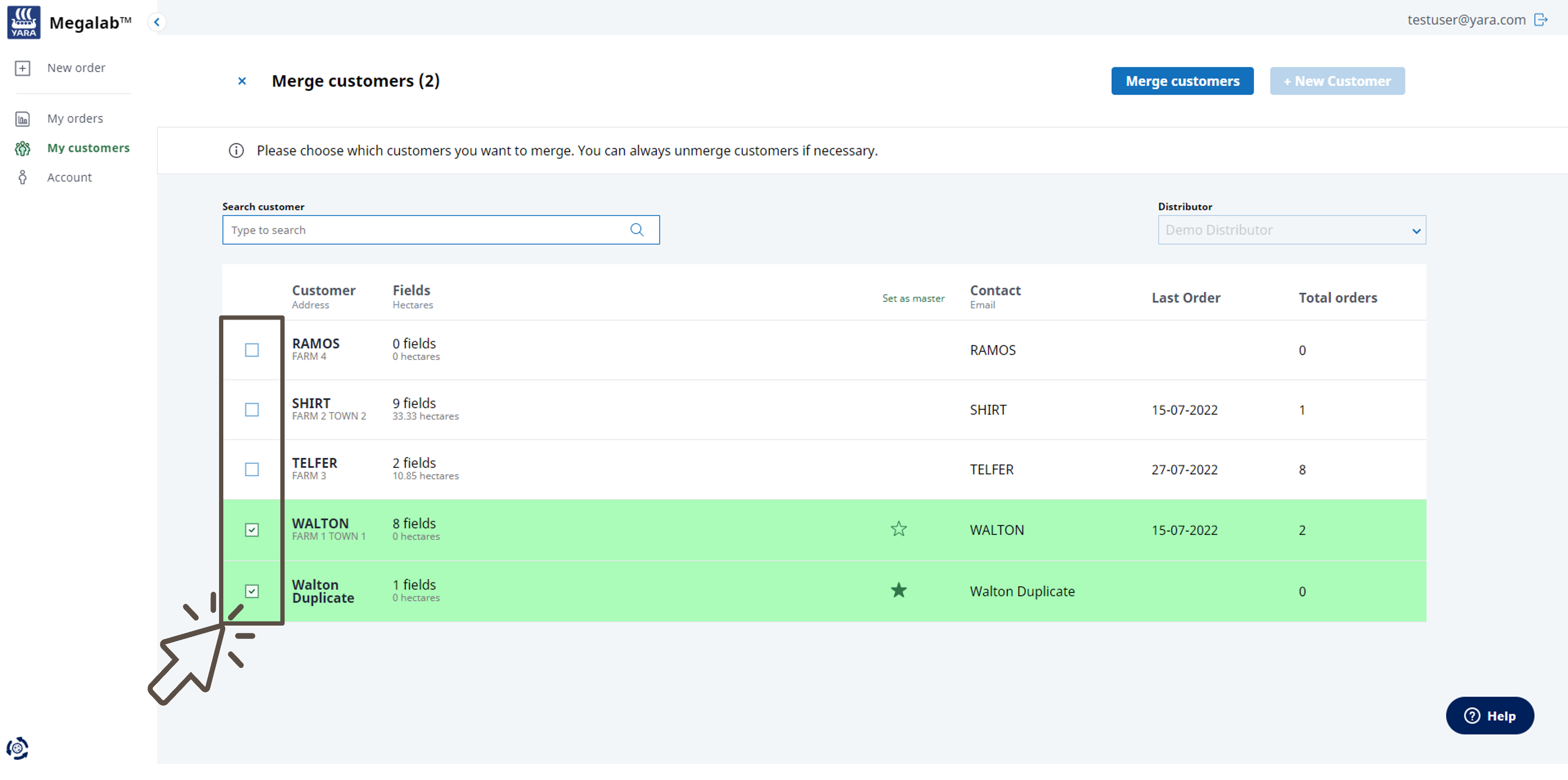
- A tick list opens next to the listed customers. Select the customers to be merged by ticking the corresponding box. To unmerge customers, click on the set ticks to remove them.
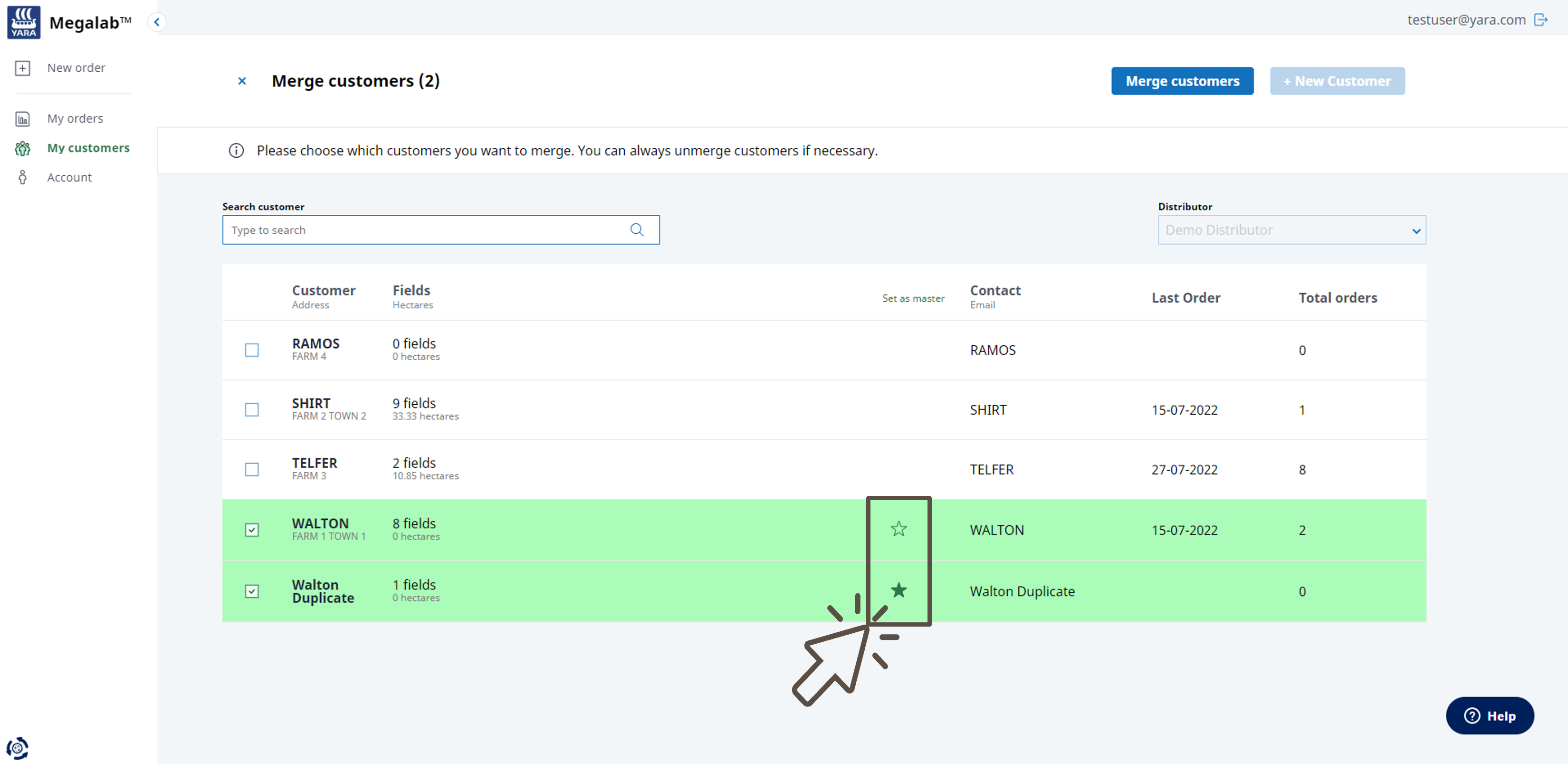
- Select a customer to act as the master (customer with whom the other customers will be merged and will represent all data) by clicking the star symbol next to the customer's name.
- Click again on the MERGE CUSTOMERS button to merge the selected customers. Click on the x next to the page title MERGE CUSTOMERS to stop the merging process.
- The selected customers will be merged into the master customer and the list of customers will be updated.
Something went wrong?
Merging customers is a reversible function. If any errors occurred during the process, please contact our support team and we will fix this for you.
Comments
0 comments
Please sign in to leave a comment.