When you log in to your Megalab account, you can view and access all orders immediately in the order history on the home page. Here you can see various order details and the order status.
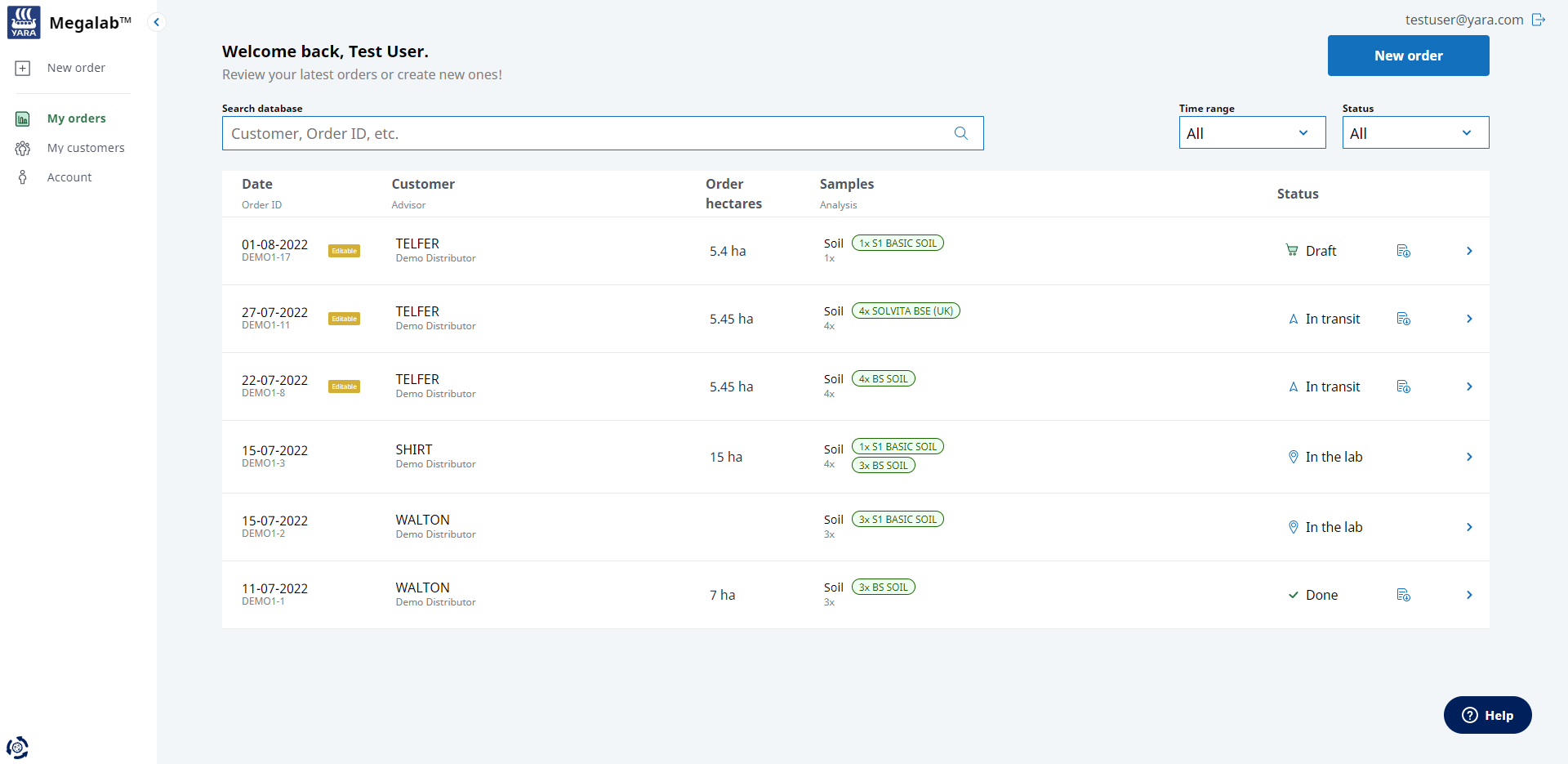
| You can edit or delete orders with the status DRAFT or IN TRANSIT. These orders have a yellow EDITABLE label. |
To delete an order, proceed as follows:
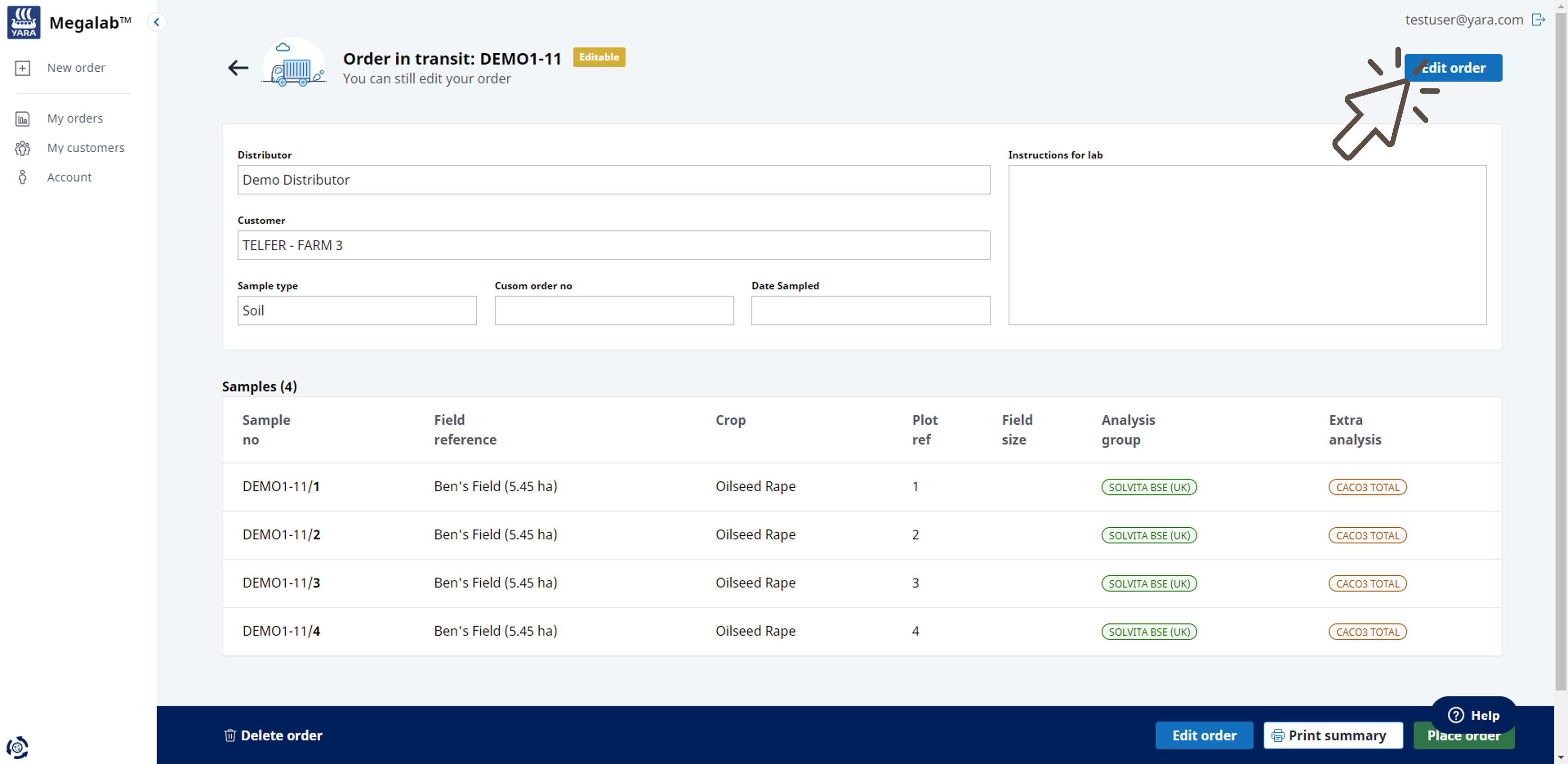
- Click on an order from the orders list to open the order summary.
- The order summary with the order information opens. Click on the EDIT ORDER button.
- The order editor opens. Click on DELETE ORDER at the bottom of the page to delete the order.
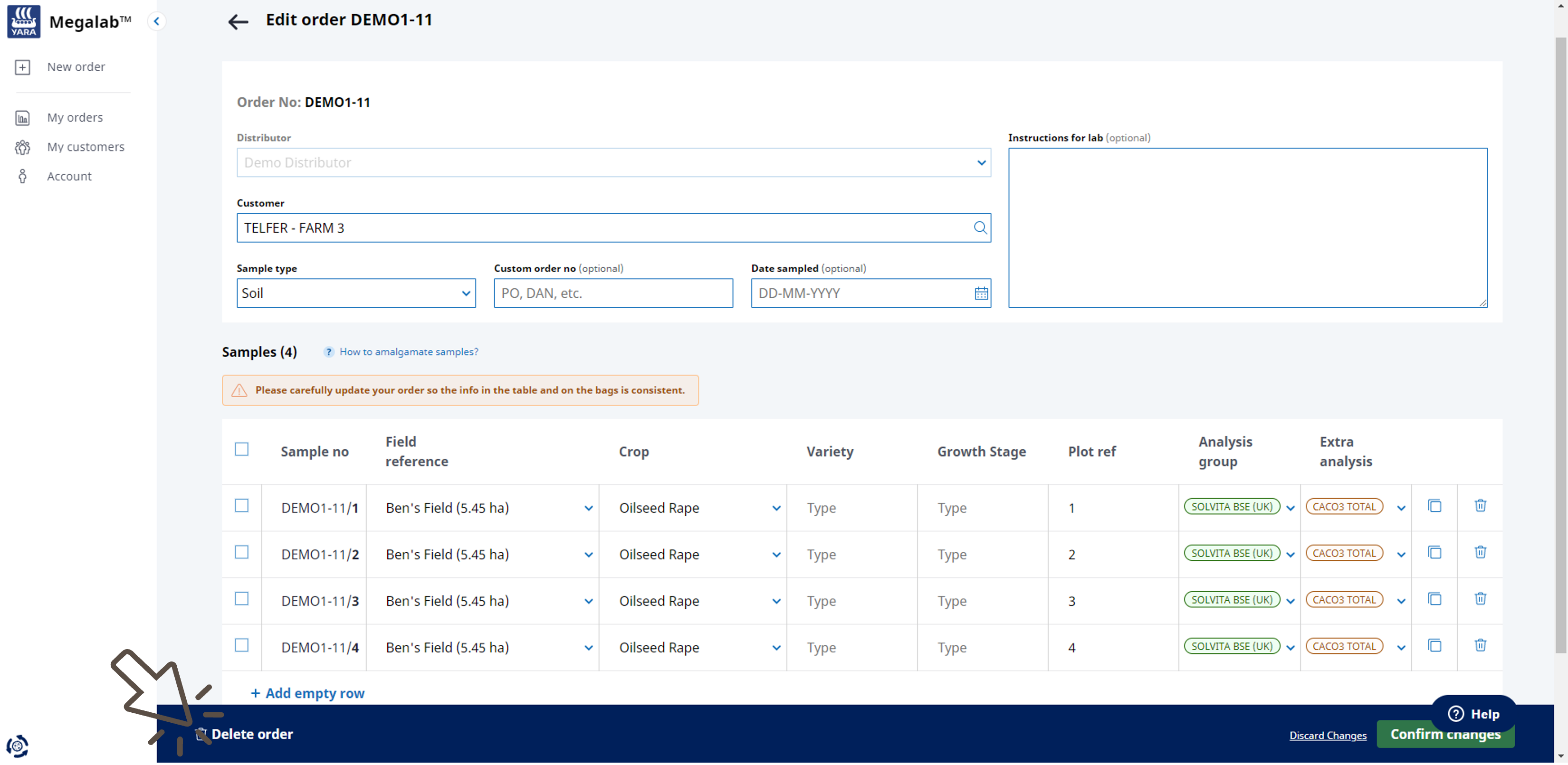
- A window opens to confirm the deletion. Click on DELETE to confirm the deletion. Click on KEEP EDITING to return to the order editor and then click on DISCARD CHANGES to end the editing process and close the editor.
Comments
0 comments
Please sign in to leave a comment.